このページは部分的に翻訳されています。一部原文の内容が含まれています。
relative
既知の長さに対する相対的な長さ。
この型はlengthとratioの組み合わせです。 これは長さと百分率の加減算の結果になります。 相対長さが想定されているあらゆる箇所で長さまたは百分率を単体でも指定可能です。
Relative to the page
A common use case is setting the width or height of a layout element (e.g.,
block, rect, etc.) as a certain percentage of the width of the page.
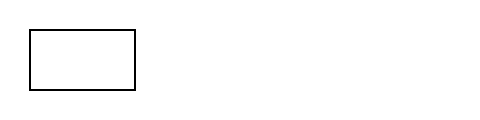
Here, the rectangle's width is set to 25%, so it takes up one fourth of
the page's inner width (the width minus margins).
#rect(width: 25%)
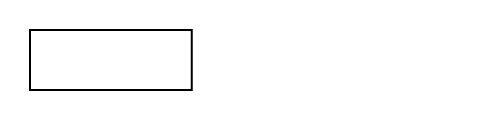
Bare lengths or ratios are always valid where relative lengths are expected, but the two can also be freely mixed:
#rect(width: 25% + 1cm)
If you're trying to size an element so that it takes up the page's full width, you have a few options (this highly depends on your exact use case):
- Set page margins to
0pt(#set page(margin: 0pt)) - Multiply the ratio by the known full page width (
21cm * 69%) - Use padding which will negate the margins (
#pad(x: -2.5cm, ...)) - Use the page background or foreground field as those don't take margins into account (note that it will render the content outside of the document flow, see place to control the content position)
Relative to a container
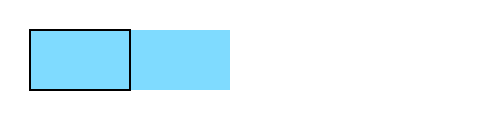
When a layout element (e.g. a rect) is nested in another layout container (e.g. a block) instead of being a direct descendant of the page, relative widths become relative to the container:
#block(
  width: 100pt,
  fill: aqua,
  rect(width: 50%),
)
Scripting
You can multiply relative lengths by ratios, integers, and floats.
A relative length has the following fields:
length: Its length component.ratio: Its ratio component.
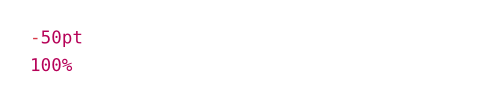
#(100% - 50pt).length \
#(100% - 50pt).ratio